peter (admin) -

Installing kubeadm and Kubernetes Components
In the previous steps, we prepared the system by loading the required kernel modules, configuring networking, installing and configuring the container runtime, and opening the necessary firewall ports.
The system is now fully prepared and stable. It is time to install kubeadm and begin setting up the Kubernetes cluster.
What Is kubeadm?
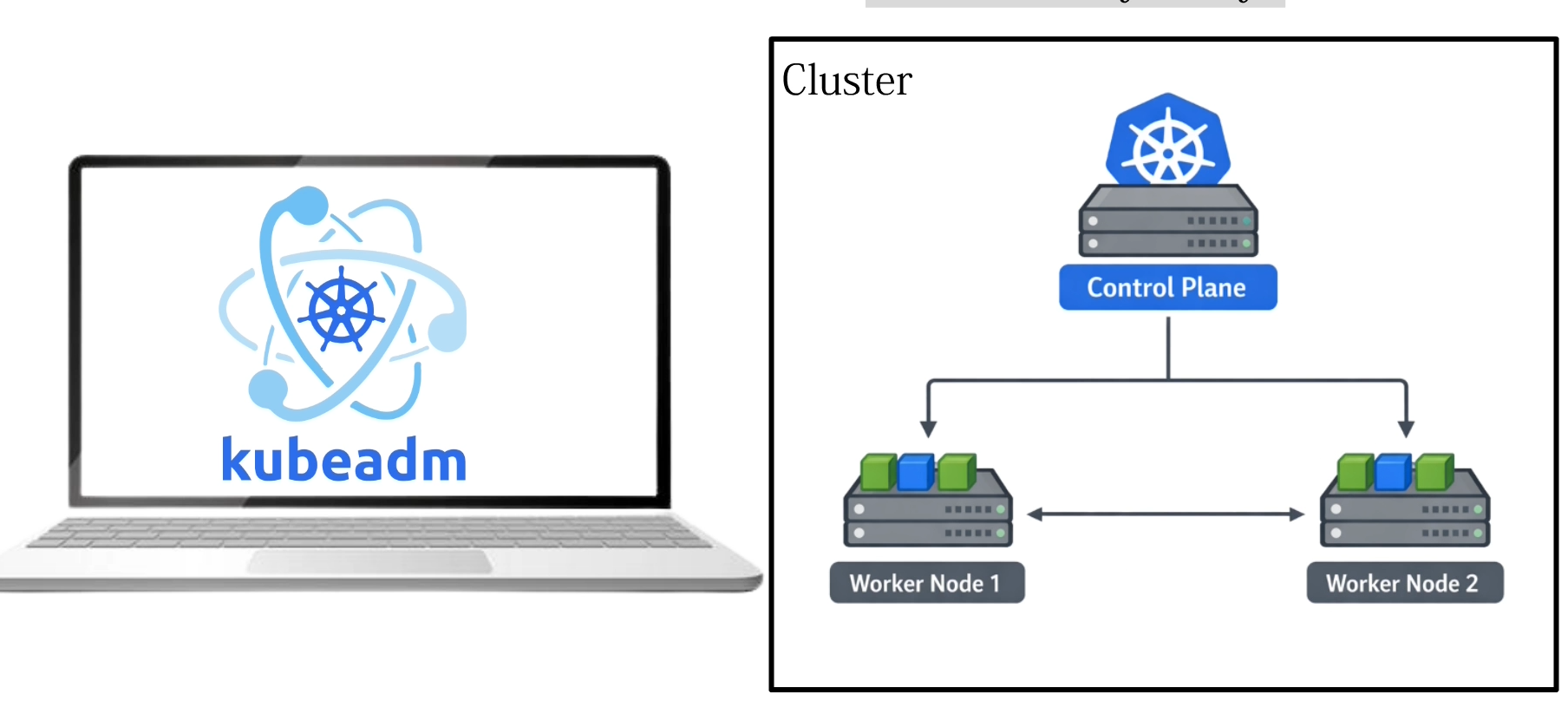
kubeadm is a Kubernetes tool used to set up a Kubernetes cluster. It simplifies the process of initializing the control plane, joining worker nodes, and configuring the core Kubernetes components.
With kubeadm, we can create the initial control-plane node and generate the information required for additional worker nodes to join the cluster.
Let's get started.
Adding the Kubernetes Repository
First, we open the PuTTY terminal and log in to the server.
We begin by adding the Kubernetes package repository. This is important because the operating system needs a trusted source from which it can download the Kubernetes components.
We create a repository configuration file named:
/etc/apt/sources.list.d/kubernetes.list
This file tells the operating system that a Kubernetes software repository is available.
The repository configuration contains information such as the repository name and the location from which Kubernetes packages can be downloaded.
GPG verification is also enabled. The GPG key allows the package manager to verify that downloaded Kubernetes packages originate from the expected source and have not been modified.
The following commands set up the repository
sudo apt-get update

sudo apt-get install -y apt-transport-https ca-certificates curl gpg
sudo mkdir -p -m 755 /etc/apt/keyrings
curl -fsSL https://pkgs.k8s.io/core:/stable:/v1.35/deb/Release.key

  | sudo gpg --dearmor -o /etc/apt/keyrings/kubernetes-apt-keyring.gpg
echo 'deb [signed-by=/etc/apt/keyrings/kubernetes-apt-keyring.gpg] https://pkgs.k8s.io/core:/stable:/v1.35/deb/ /' | sudo tee /etc/apt/sources.list.d/kubernetes.listsudo apt update
Once this configuration has been created, the system knows where to obtain the Kubernetes packages.
Installing the Kubernetes Components
Next, we install the three main Kubernetes packages:
sudo apt install kubeadm kubectl kubelet
The system downloads these packages from the Kubernetes repository configured in the previous step.
The installation may take some time depending on the speed of the internet connection.
Once the process completes successfully, the required Kubernetes tools are available on the system.
kubeadm
kubeadm is primarily responsible for bootstrapping the Kubernetes cluster.
It is used to initialize the control plane with commands such as:
kubeadm init
It is also used on worker nodes when they are added to the cluster:
kubeadm join
kubectl
kubectl is the Kubernetes command-line administration tool.
It communicates with the Kubernetes API server and allows us to inspect and manage cluster resources.
For example:
kubectl get nodes
can be used to display the nodes registered with the cluster.
Similarly:
kubectl get pods -A
displays Pods across all namespaces.
kubelet
kubelet runs on every Kubernetes node.
It communicates with the Kubernetes control plane and is responsible for ensuring that the containers assigned to its node are running as expected.
We enable the kubelet service so that it starts automatically whenever the operating system boots.
At this stage, kubelet may not remain fully operational until the node has been initialized or joined to a Kubernetes cluster. This is expected during the initial installation.
Control-Plane Node Ready
kubeadm and the other Kubernetes components have now been successfully installed on the control-plane node.
The three important components installed at this stage are:
-
kubeadm — bootstraps and configures the cluster.
-
kubectl — provides command-line administration of the cluster.
-
kubelet — runs on each node and manages the workloads assigned to that node.
With these components installed, the system is prepared for the next stage: initializing the Kubernetes control plane using kubeadm init.
Installing Kubernetes on the Worker Node
We now repeat the same Kubernetes package installation process on the worker node.
The worker node also requires:
kubeadm
kubectl
kubelet
The same installation and service configuration can therefore be performed on the worker node.
Once this process is complete, both the control-plane and worker nodes have the Kubernetes software required to proceed with building the cluster.
Comments (0)
There are no comments yet. Be the first to comment.
Log in or register to leave a comment. all comments are subject to admin approval