peter (admin) -

The goal here is to clearly connect Kubernetes terminology with familiar Linux concepts so that Kubernetes feels easier to understand.
Linux is an operating system which means it is the core software that controls computer hardware, run processes, manages memory, handles files, and controls networking.

Kubernetes is not an operating system.,
It is a platform that runs on top of Linux operating system. Kubernetes is installed on a Linux machine and uses Linux features to manage and coordinate applications.
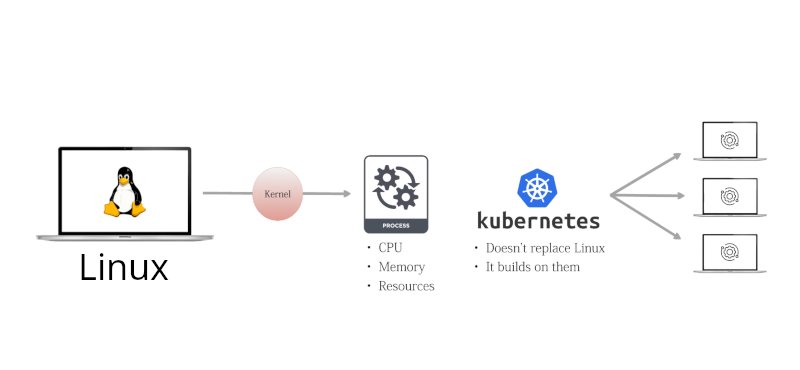
Once this difference is clear, mapping Kubernetes terms to Linux concept becomes much easier. In Linux, a process is running program controlled by the kernel. Every process consumes CPU memory and system resources.
In Kubernetes, basic execution unit is a container which usually runs a single main process. Containers rely on Linux kernel features like namespaces and control groups to isolate processes and limit resource usage.
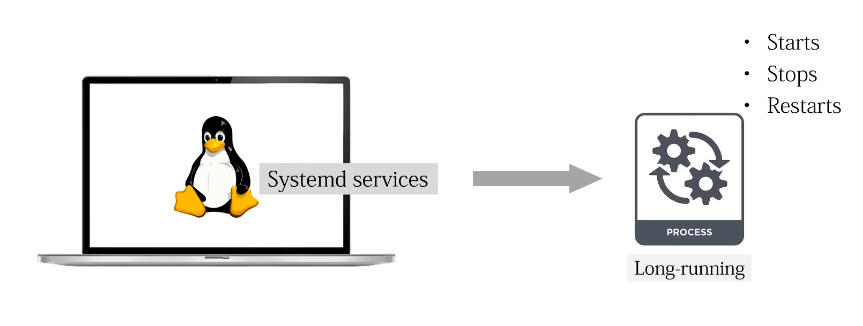
Linux uses systemd services to manage long running processes or daemons. A systemd eservice defines how a process starts, stops, and restarts on one machine.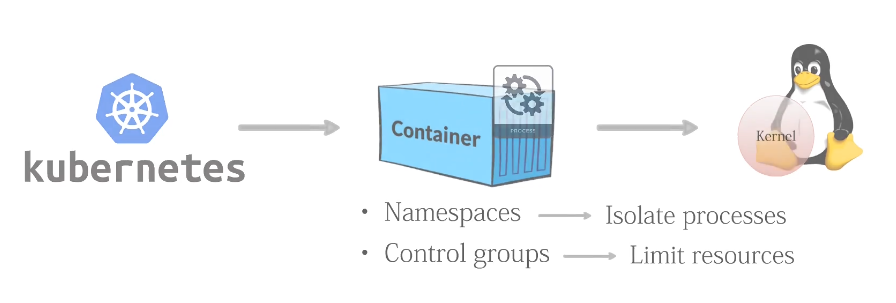
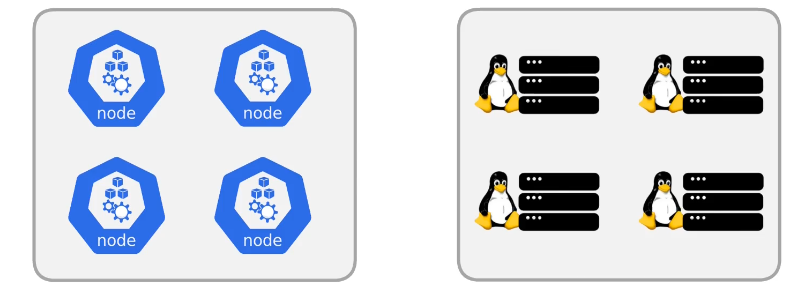
A Linux server is a physical or virtual machine with its own operating system..
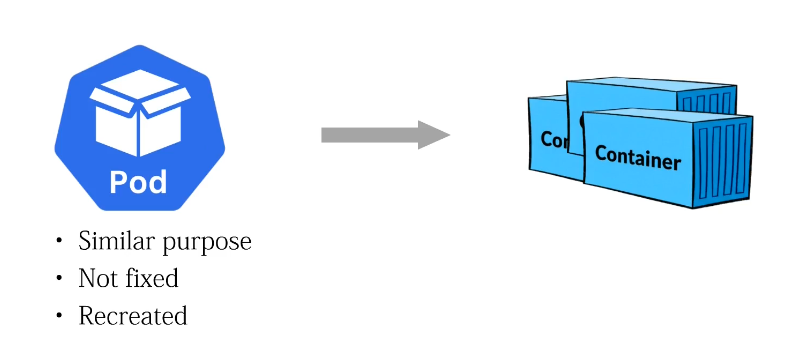
Kubernetes introduces the pod which serves a similar purpose but at a higher level. A pod defines how one or more containers run together. Unlike a systemd service, a pod is not fixed to one machine and can be recreated elsewhere.
In Kubernetes, this machine is called a node. A node provides resources like CPU memory storage and networking for running pods. Multiple nodes together form a cluster. Extending the idea of multiple Linux servers into a shared environment,
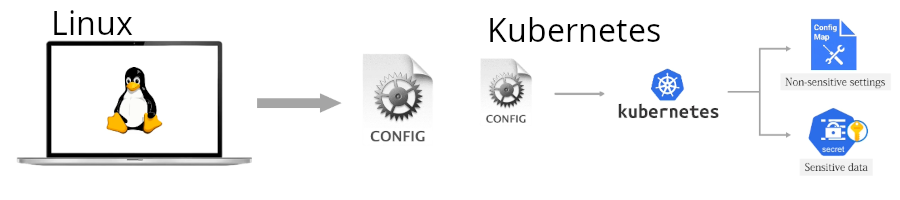
Linux stores configuration files often under directives like /etc. Kubernetes replaces static configuration files with config maps and secrets. Config maps hold non-sensitive settings while secrets store sensitive data such as passwords. These configurations are added to pods when they start running. They are not permanently written inside the application files.
Linux controls access using users, groups, and permissions.
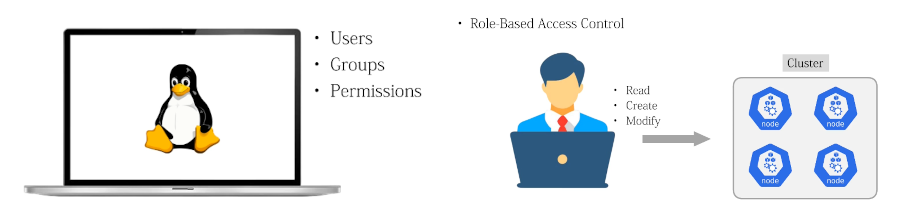
Kubernetes maps this concept using RBAC or Linux Access Control.
RBAC defines which users or services can read, create, or modify resources inside the cluster, similar to how sudo and file permissions work in Linux. In Linux networking, applications listen to specific IP addresses and port numbers so they can receive traffic.
Kubernetes uses services to give applications a stable network address. Even if pod restarts or change, the address stays the same. This means we do n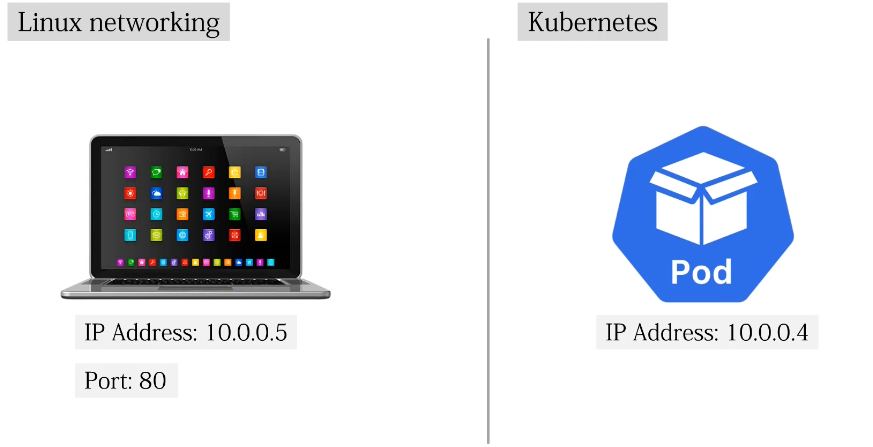 ot need to keep track of individual pod IP addresses.
Moreover, Linux administrators view logs using tools like general control.
 Kubernetes associates logs with containers and pods, but the purpose remains the same, observing behavior errors and system health. In simple words, Kubernetes does not replace Linux concepts. It builds on them, extends them across multiple machines, and automates their management. Understanding this connection helps Linux administrators use what they already know. They can manage Kubernetes clusters without learning everything from scratch.
Comments (0)
There are no comments yet. Be the first to comment.
Log in or register to leave a comment. all comments are subject to admin approval