peter (admin) -

Understanding YAML in Kubernetes
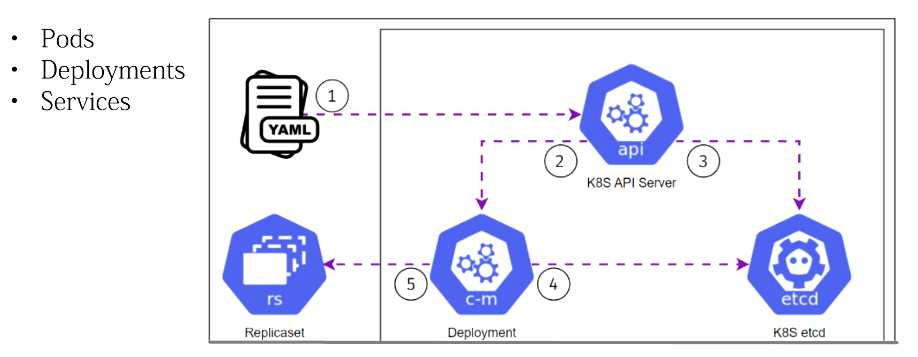
YAML is extremely important in Kubernetes. Almost everything we create in Kubernetes, including Pods, Deployments, Services, ConfigMaps, and other resources, can be defined using YAML files.
Learning YAML is therefore an essential part of learning Kubernetes because YAML allows us to describe what we want Kubernetes to create and manage.
What Is YAML?
YAML stands for:
YAML Ain't Markup Language
YAML is a human-readable data format used to store and organize information in a simple and structured way.
The name might sound unusual, but it highlights an important point: YAML is not a markup language like HTML.
Instead, YAML is designed to represent structured data in a format that is easy for both humans and computers to understand.
A simple YAML document might look like this:
name: web-app
version: 1
environment: production
Because YAML uses very little additional syntax, it can often look similar to ordinary written information.
Why Kubernetes Uses YAML
In Kubernetes, YAML files are commonly used as resource manifests.
A manifest describes a Kubernetes resource and its desired configuration.
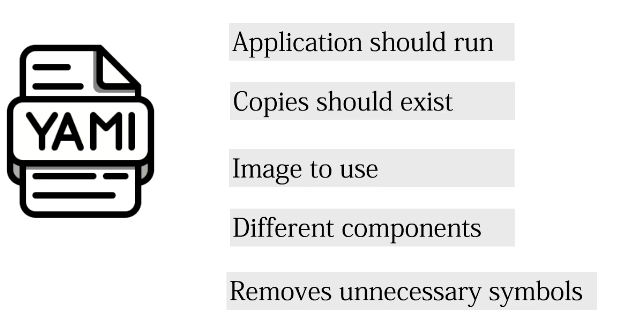
For example, a YAML file can tell Kubernetes:
-
Which application to run
-
Which container image to use
-
How many replicas should exist
-
Which ports should be exposed
-
How much CPU and memory should be available
-
Which environment variables should be configured
-
How storage should be attached
-
How applications should communicate
Instead of manually performing each of these operations, we describe the required configuration in YAML and submit it to Kubernetes.
YAML Uses Keys and Values
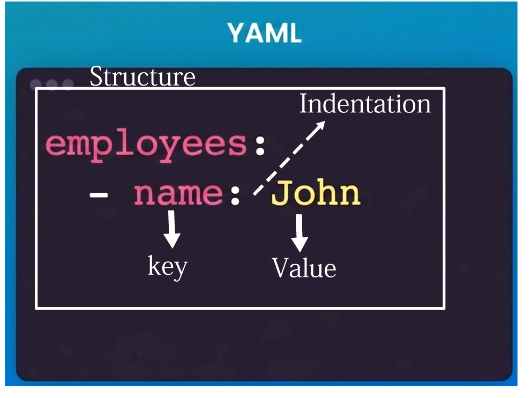 One of the fundamental concepts in YAML is the key-value pair.
A key represents the name of a property, while the value contains the information associated with that property.
For example:
name: web-app
Here:
Key   = name
Value = web-app
The colon (:) separates the key from its value.
Another example might be:
replicas: 3
This tells us that the property called replicas has a value of 3.
Kubernetes YAML files contain many of these key-value relationships.
YAML Structure and Indentation
One of the most important things to understand about YAML is indentation.
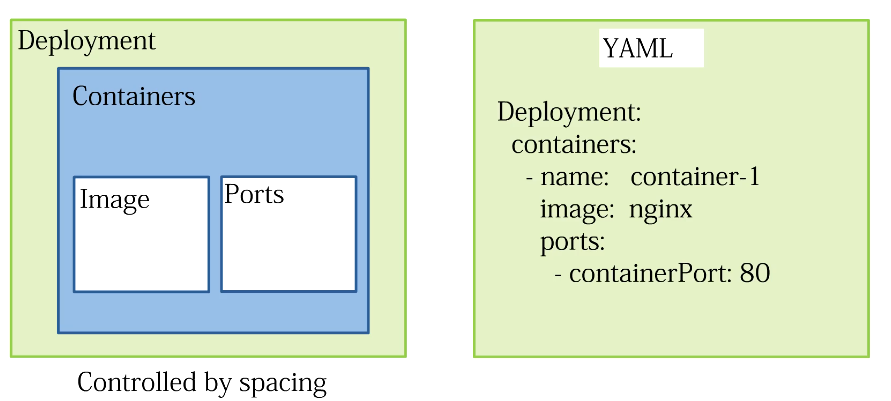
Unlike formats that use braces or other symbols to define structure, YAML uses indentation to show relationships between data.
For example:
metadata:
  name: web-app
  labels:
    app: web
Here, name and labels belong to metadata.
The indentation creates the hierarchy.
We can visualize it as:
metadata
   |
   +--- name
   |
   +--- labels
          |
          +--- app
If the indentation is incorrect, the YAML may become invalid or may represent a different structure from the one you intended.
Use Spaces, Not Tabs
YAML indentation should use spaces rather than tabs.
For example:
 metadata:
name: web-app
A common convention is to use two spaces for each indentation level.
Consistency is extremely important when creating Kubernetes YAML files.
YAML Lists
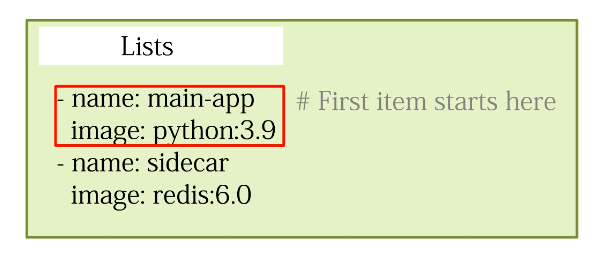
YAML can also represent lists, which are collections containing multiple items.
Each item in a YAML list begins with a dash (-).
For example:
fruits:
  - apple
  - orange
  - banana
Lists are extremely common in Kubernetes.
For example, a Pod can contain multiple containers:
containers:
  - name: web
    image: nginx

  - name: logging
    image: fluentd
Here we have a list containing two containers.
The first container is called web, and the second is called logging.
Comments in YAML
YAML also supports comments.
Comments allow us to add explanations for people reading the configuration without affecting how Kubernetes processes the file.
A comment begins with the hash (#) symbol.
For example:
# Number of application replicas
replicas: 3
Kubernetes ignores the comment.
Comments can be particularly useful when working with large YAML files or when several people maintain the same Kubernetes configuration.
YAML and the Kubernetes Desired State
One of the most important reasons YAML is used with Kubernetes is that Kubernetes follows a declarative model.
We describe the state that we want, rather than manually telling Kubernetes every step required to create that state.
For example, we might define:
replicas: 2
We are effectively saying:
I want two replicas of this application running.
Kubernetes then works to ensure that two replicas exist.
If one of them fails, Kubernetes can create a replacement so that the actual state returns to the desired state.
The Basic Structure of Kubernetes YAML
Most Kubernetes resource definitions follow a common structure.
For example:
apiVersion: v1
kind: Pod

metadata:
  name: nginx-pod

spec:
  containers:
    - name: nginx
      image: nginx:latest
There are several important sections here.
apiVersion
apiVersion: v1
This identifies the Kubernetes API version used for the resource.
kind
kind: Pod
This tells Kubernetes what type of resource we want to create.
In this example, we are creating a Pod.
Other examples include:
kind: Deployment
kind: Service
kind: ConfigMap
metadata
The metadata section contains information identifying the resource.
For example:
metadata:
  name: nginx-pod
This gives our Pod the name nginx-pod.
spec
The spec section describes the desired configuration of the resource.
For our Pod:
spec:
  containers:
    - name: nginx
      image: nginx:latest
We are telling Kubernetes that the Pod should contain a container called nginx using the nginx:latest container image.
Example: Creating an Nginx Deployment
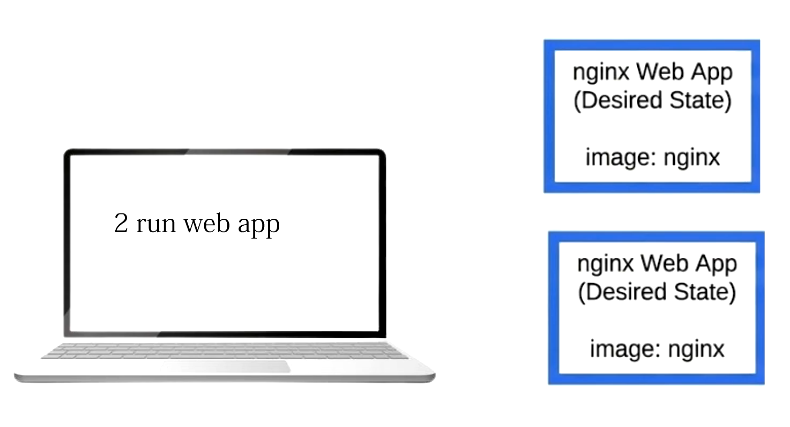
Imagine that we want to run an Nginx web application with two replicas.
Instead of repeatedly creating containers manually, we can describe the application using YAML.
 apiVersion: apps/v1
kind: Deployment
metadata:
name: nginx-deployment
spec:
replicas: 2
selector:
matchLabels:
app: nginx
template:
metadata:
labels:
app: nginx
spec:
containers:
- name: nginx
image: nginx:latest
ports:
- containerPort: 80
This YAML file describes what we want Kubernetes to create.
It tells Kubernetes:
-
Create a Deployment called
nginx-deployment -
Maintain two replicas
-
Run Nginx containers
-
Use the
nginx:latestimage -
Configure container port
80
Applying a YAML File
Suppose we save the configuration as:
nginx-deployment.yaml
We can send it to Kubernetes using:
kubectl apply -f nginx-deployment.yaml
Kubernetes reads the YAML file and creates or updates the resources required to match the desired configuration.
We can then check the Deployment:
kubectl get deployments
And view the Pods:
kubectl get pods
If the Deployment specifies two replicas, we should eventually see two Pods running.
Changing the Desired State
One of the major advantages of using YAML is that we can modify our desired configuration and apply it again.
For example, we could change:
replicas: 2
to:
replicas: 4
Then run:
kubectl apply -f nginx-deployment.yaml
Kubernetes detects the new desired state and creates additional Pods.
The principle is simple:
YAML Configuration
       |
       v
   kubectl apply
       |
       v
 Kubernetes API
       |
       v
  Desired State
       |
       v
 Kubernetes works
 to achieve that state
Why YAML Is Important in Kubernetes
YAML provides a simple and readable way of describing Kubernetes resources.
The main concepts to remember are:
-
YAML stores structured data.
-
Kubernetes manifests are commonly written in YAML.
-
YAML uses keys and values.
-
A colon (
:) separates a key from its value. -
Indentation defines hierarchy.
-
Spaces should be used instead of tabs.
-
A dash (
-) represents an item in a list. -
A hash (
#) begins a comment. -
Kubernetes YAML files describe the desired state.
-
kubectl apply -fcan be used to apply YAML manifests to a cluster.
Once you become comfortable reading and writing YAML, working with Kubernetes becomes considerably easier.
YAML is the language we commonly use to describe what we want, while Kubernetes takes responsibility for working towards and maintaining that desired state.
Comments (0)
There are no comments yet. Be the first to comment.
Log in or register to leave a comment. all comments are subject to admin approval