peter (admin) -

Kubelet and kube-proxy
Here we will learn about two important Kubernetes components that operate on worker nodes: kubelet and kube-proxy.
In a Kubernetes cluster, decisions are primarily made by the control plane, while the actual workloads run on worker nodes. Kubelet and kube-proxy play important roles in making those worker nodes function as part of the Kubernetes cluster.
While kubelet manages Pods and their containers, kube-proxy helps implement Kubernetes Service networking.
What Is Kubelet?
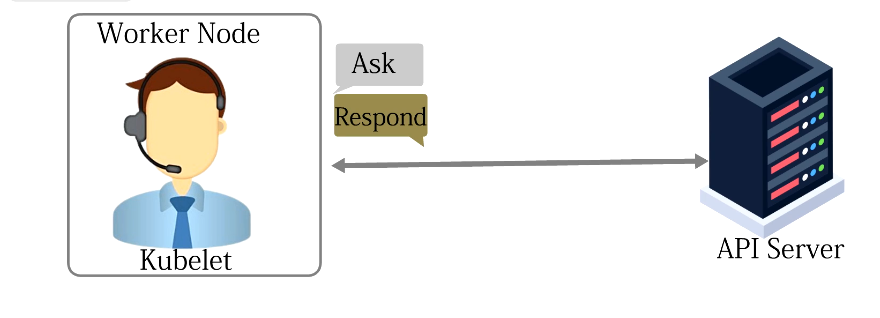 The kubelet is an agent that runs on each Kubernetes worker node.
Its main responsibility is to ensure that the containers belonging to Pods assigned to its node are running and healthy.
Kubelet communicates with the Kubernetes API server and watches for Pods that have been assigned to its node. It works to make the actual state of the node match the desired state stored by Kubernetes.
For example, if Kubernetes expects a particular Pod to be running on a worker node, kubelet ensures that the Pod's containers are created and running.
Kubelet and the Container Runtime
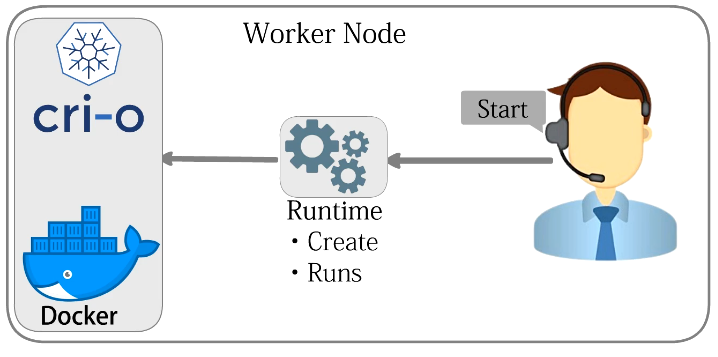
Kubelet does not directly create containers itself.
Instead, it communicates with a container runtime through the Container Runtime Interface (CRI).
Common Kubernetes container runtimes include:
- containerd
- CRI-O
The CRI provides a standard interface between Kubernetes and container runtimes. This allows Kubernetes to support different runtimes without changing its core architecture.
When kubelet discovers that a required container is not running, it instructs the container runtime to create and start it.
This separation makes Kubernetes flexible and modular.
Monitoring Container Health
Once containers are running, kubelet continues monitoring their state.
Kubernetes can use several types of probes to determine the health and availability of an application.
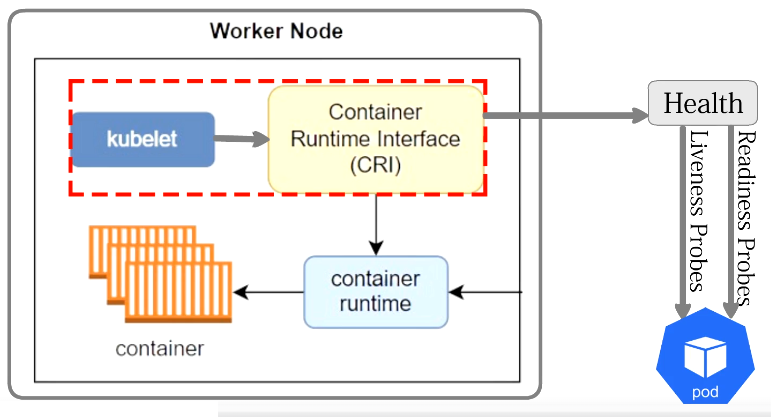
Liveness Probes
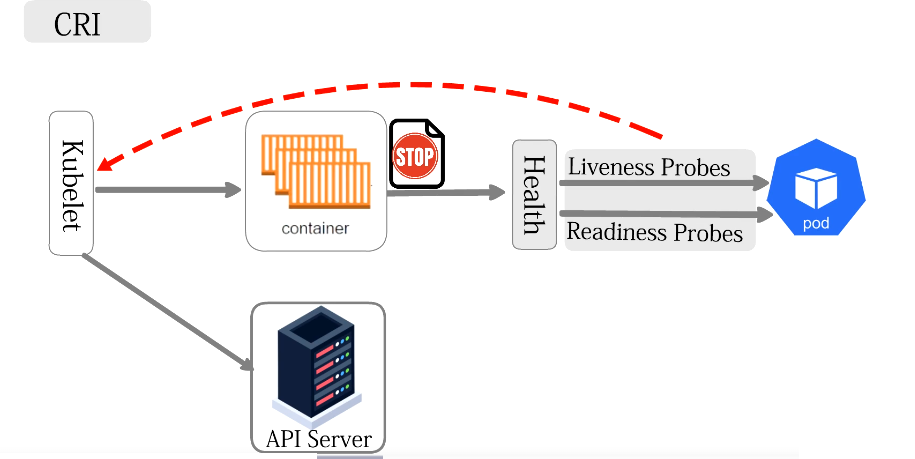 A liveness probe determines whether a container is still functioning correctly.
If the liveness probe repeatedly fails, kubelet can restart the container according to the Pod's restart policy.
Readiness Probes
A readiness probe determines whether an application is ready to receive network traffic.
If the readiness probe fails, the Pod is temporarily removed from the set of ready endpoints used by Services.
The container does not necessarily need to be restarted. Instead, Kubernetes prevents Service traffic from being directed to it until it becomes ready again.
Startup Probes
Kubernetes also supports startup probes.
These are useful for applications that take a long time to start. A startup probe can prevent liveness checks from restarting a slow-starting application before it has had enough time to initialize.
Reporting Node and Pod Status
Kubelet also reports information about the node and its Pods back through the Kubernetes API.
This information allows the control plane to maintain an accurate view of what is happening throughout the cluster.
The basic relationship can be represented as:
API Server
    |
    v
Desired State
    |
    v
Kubelet
    |
    v
Container Runtime
    |
    v
Containers
Kubelet continuously works to ensure that the workloads running on its node correspond to what Kubernetes expects.
What Is kube-proxy?
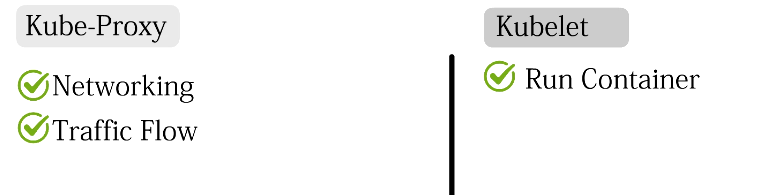
While kubelet concentrates on running Pods and containers, kube-proxy has a different responsibility.
kube-proxy is a network component that traditionally runs on each Kubernetes node and helps implement Kubernetes Services.
In Kubernetes, Pods are temporary. They can be created, destroyed, restarted, or replaced, and their IP addresses can change.
Applications therefore should not normally depend directly on individual Pod IP addresses. Instead, Kubernetes provides Services.
Kubernetes Services
A Service provides a stable network endpoint for accessing a group of Pods.
For example, imagine an application with three web server Pods:
             Web Service
                  |
        +---------+---------+
        |         |         |
        v         v         v
      Pod 1     Pod 2     Pod 3
Clients communicate with the Service rather than needing to know the IP address of each individual Pod.
The Service then allows traffic to reach an appropriate backend Pod.
How kube-proxy Works
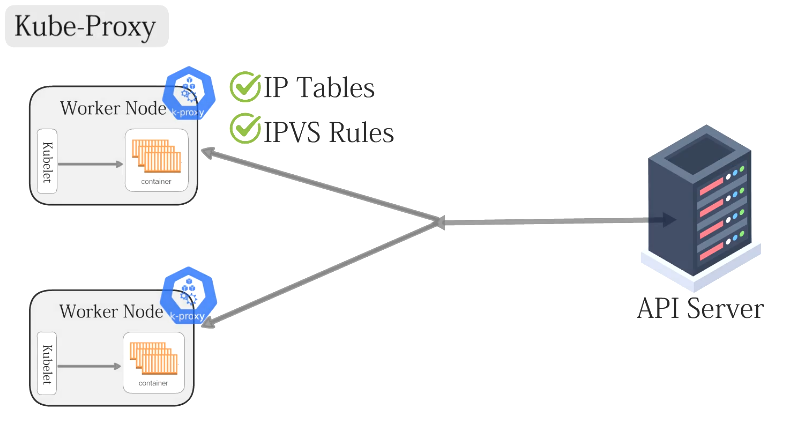 kube-proxy watches the Kubernetes API for information about Services and their associated endpoints.
When Services or their backend Pods change, kube-proxy updates the networking configuration on the node.
Depending on the Kubernetes environment and configuration, this has traditionally involved Linux networking mechanisms such as iptables or IPVS.
These mechanisms provide rules that allow network packets addressed to a Kubernetes Service to be directed toward an appropriate backend Pod.
The basic traffic flow can be represented as:
Client
   |
   v
Kubernetes Service
   |
   v
Node Network Rules
   |
   +--------+--------+
   |        |        |
   v        v        v
 Pod 1    Pod 2    Pod 3
If one of those Pods disappears, Kubernetes updates its endpoint information and the node's networking rules are adjusted so that traffic is no longer directed to that Pod.
kube-proxy and Load Distribution
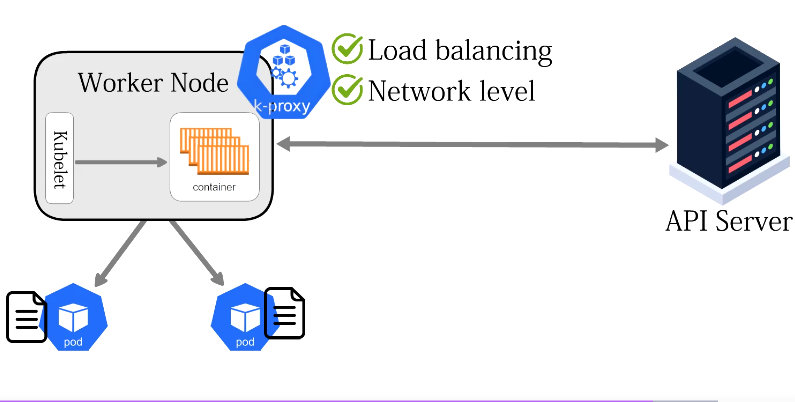
When several Pods belong to the same Service, network traffic can be distributed among the available backend Pods.
                Service
                   |
        +----------+----------+
        |          |          |
        v          v          v
      Pod A      Pod B      Pod C
This allows applications to run multiple replicas while clients continue using a single stable Service address.
kube-proxy works primarily at the network level. It does not examine the application's business logic or application-level content. Its role is to help network packets reach appropriate Service backends.
A Simple Warehouse Analogy
A useful way to understand kubelet and kube-proxy is to imagine a large warehouse.
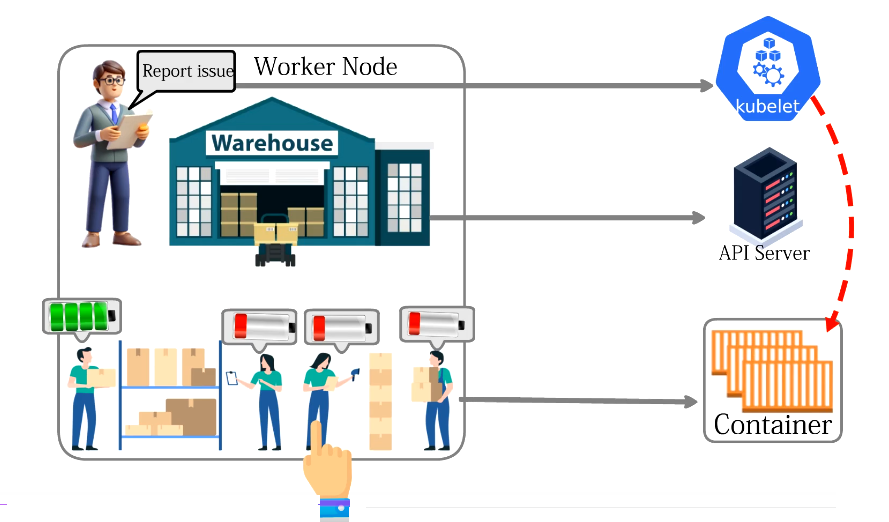
The warehouse represents a Kubernetes worker node.
Inside the warehouse is a supervisor whose responsibility is to make sure the correct workers are present and performing their assigned jobs.
This supervisor represents kubelet.
The central office represents the Kubernetes control plane and API server.
The supervisor receives instructions indicating what work should be taking place in the warehouse. The supervisor does not independently decide which jobs the company needs. Instead, it follows the assignments recorded by the central system.
If workers are required but are missing, the supervisor arranges for them to begin working.
In Kubernetes terms:
- Warehouse = Worker node
- Supervisor = Kubelet
- Workers = Containers
- Work groups = Pods
- Central office = Control plane / API server
- Equipment used to start workers = Container runtime
The supervisor also continues checking that workers are functioning correctly.
This represents kubelet monitoring the state and health of the containers running on its node.
Understanding kube-proxy with the Warehouse
The warehouse also needs a way of handling incoming delivery trucks.
Imagine another system responsible for directing arriving trucks to an appropriate loading area.
This represents the networking function provided by kube-proxy.
The delivery trucks represent network requests, while the loading areas represent the application's Pods.
The warehouse has a stable address that delivery drivers know. This represents a Kubernetes Service.
Delivery Truck
      |
      v
Warehouse Address
    (Service)
      |
      v
Routing System
 (kube-proxy)
      |
  +---+---+
  |       |
  v       v
Area A   Area B
(Pod)    (Pod)
The loading areas may change while the warehouse address remains the same.
If one loading area closes, traffic can be directed toward another available loading area. If additional loading areas open, they can become available for handling incoming traffic.
This is similar to Pods being created and removed behind a Kubernetes Service.
Kubelet vs kube-proxy
| Component | Main Responsibility |
|---|---|
| Kubelet | Manages Pods and containers assigned to a node |
| kube-proxy | Helps implement Kubernetes Service networking |
| Kubelet | Communicates with the container runtime through CRI |
| kube-proxy | Maintains node-level networking rules |
| Kubelet | Monitors Pod and container state |
| kube-proxy | Helps traffic reach Service backend Pods |
Key Point
A simple way to remember the difference is:
Kubelet makes sure the workload is running. kube-proxy helps network traffic reach the workload.
Together with the container runtime and Kubernetes networking components, they allow worker nodes to run applications and make those applications accessible across the cluster.
Comments (0)
There are no comments yet. Be the first to comment.
Log in or register to leave a comment. all comments are subject to admin approval